Pamperbook
Mobile Beauty & Wellness Booking Platform
Pamperbook is a two-sided mobile platform designed to make booking beauty and wellness services seamless for consumers, primarily women, while giving service providers a structured system to manage bookings, revenue, loyalty rewards, and premium offers.
The product connects users to nearby, vetted beauty professionals and allows services to be delivered either in-store or at home, while introducing a premium loyalty system that rewards frequent bookings.
Role
Product Designer
Product Type
Mobile App
Scope
End-to-end product experience across both the consumer app and the business app.
The Problem
Booking beauty and wellness services is often fragmented and inefficient.
From early exploration, a few key challenges stood out:
Users rely heavily on WhatsApp, calls, or Instagram DMs to book services, leading to missed messages, unclear availability, and poor follow-ups.
There’s little visibility into nearby, trusted service providers, especially for users who prefer home services.
Loyalty systems exist, but they’re usually offline, inconsistent, or difficult to track.
Business owners struggle to manage bookings, track revenue, and incentivize repeat customers without using multiple tools.
Pamperbook needed to solve this as a system, not just a booking flow.
The Product Vision
Create a single platform where:
Consumers can discover, book, and reward themselves for using beauty and wellness services.
Business owners can manage bookings, revenue, deals, and loyalty rewards from one dashboard.
Premium value feels genuinely beneficial, not forced, through exclusive deals and measurable rewards.
My Role & Responsibilities
As the sole product designer, I was responsible for:
Product flow design (consumer & business)
Information architecture
Interaction and UX decisions
Loyalty and premium system design
Booking logic and edge cases
Dashboard and data visualization for businesses
System Architecture: Two Sides, One Ecosystem
Pamperbook was designed as two tightly connected experiences:
Consumer App: discovery, booking, rewards
Business App: service management, bookings, revenue, loyalty creation
Both sides share a unified logic but are tailored to very different user goals.
1. Consumer Experience (User Side)
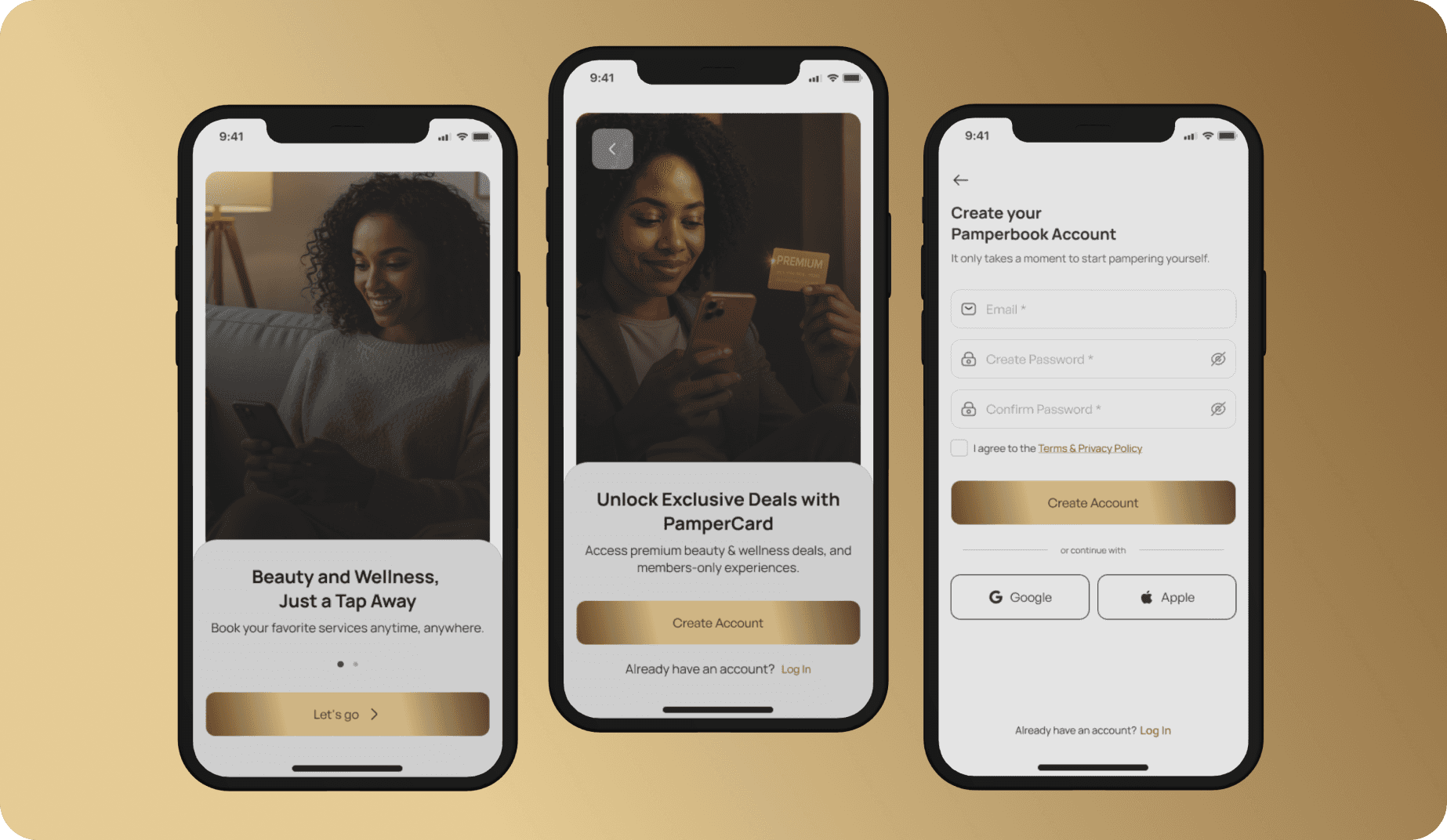
1.1 Entry & Onboarding
Users begin with:
Splash screen
Role selection: Continue as Consumer or Business Owner
Feature-led onboarding
Account creation
Location access (to surface nearby services)
Notification permissions (bookings, reminders, rewards)
This flow ensures relevance before discovery begins.
1.2 Home Experience
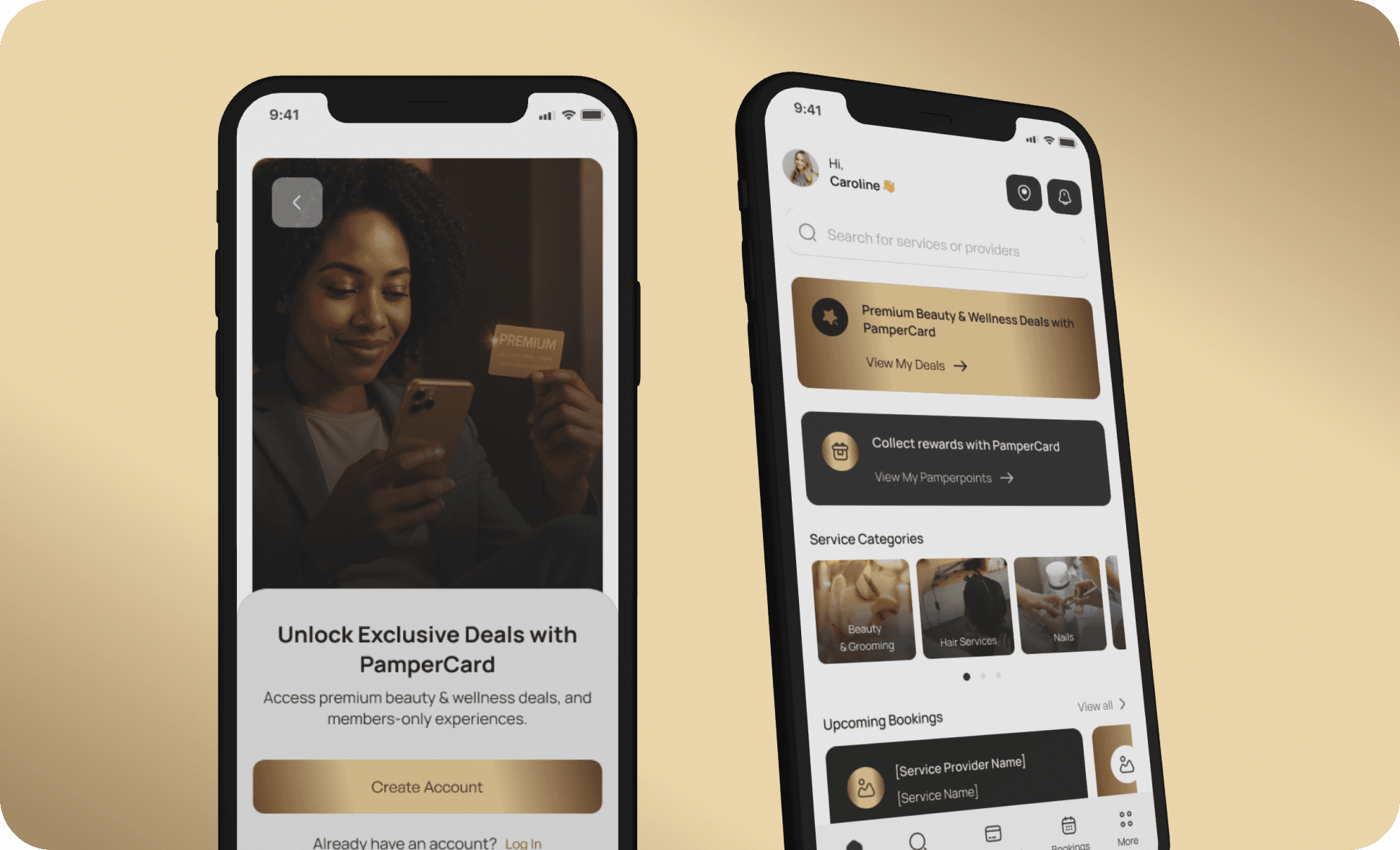
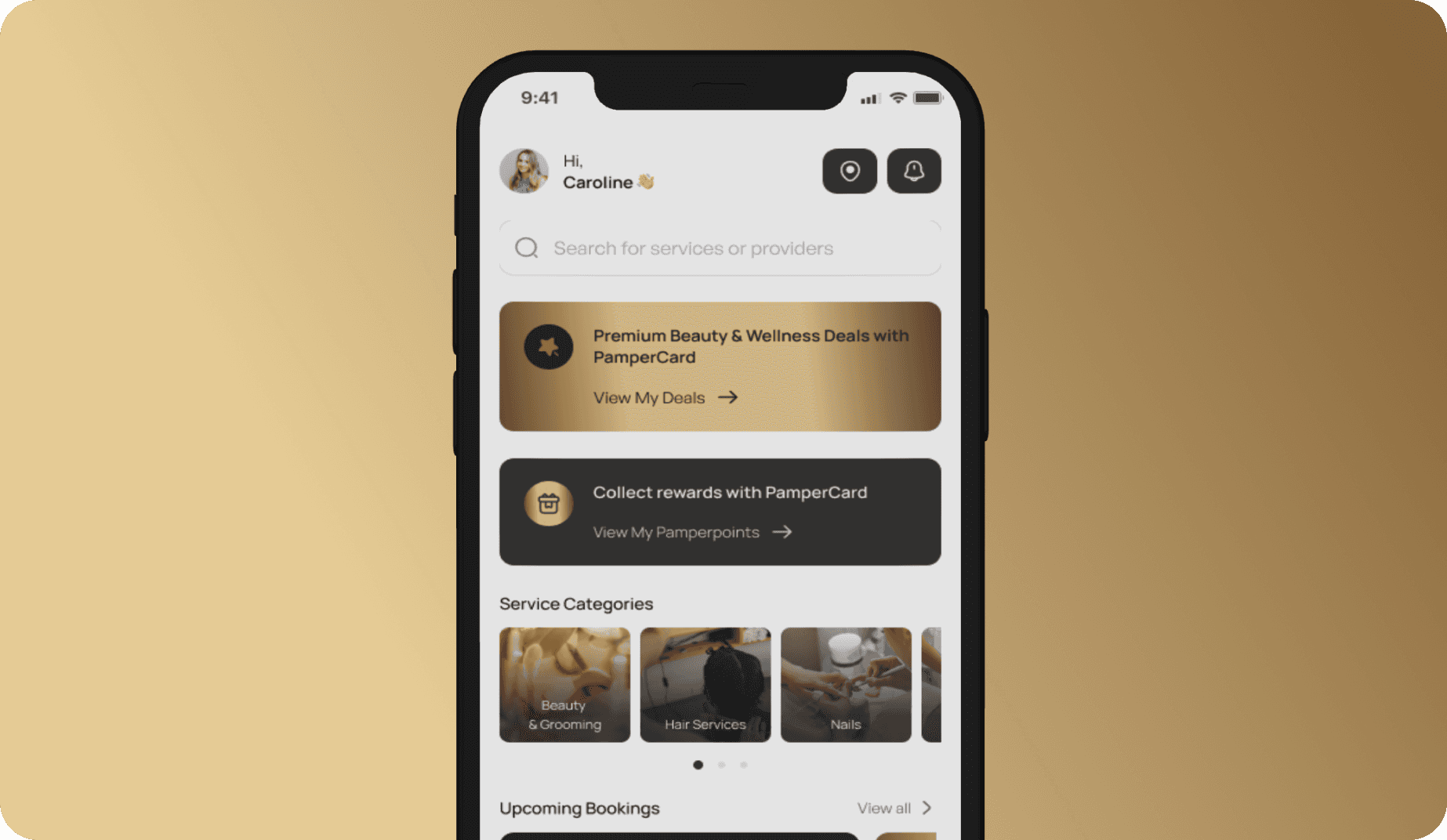
The homepage is designed to balance value discovery and action.
Users see:
A banner highlighting Pampercard (Premium) Deals
Service categories (beauty, hair, nails, spa, wellness, skincare, makeup, etc.)
Upcoming bookings (or an empty state if none exist)
Popular services nearby, powered by location data
The goal: help users find something useful within seconds.
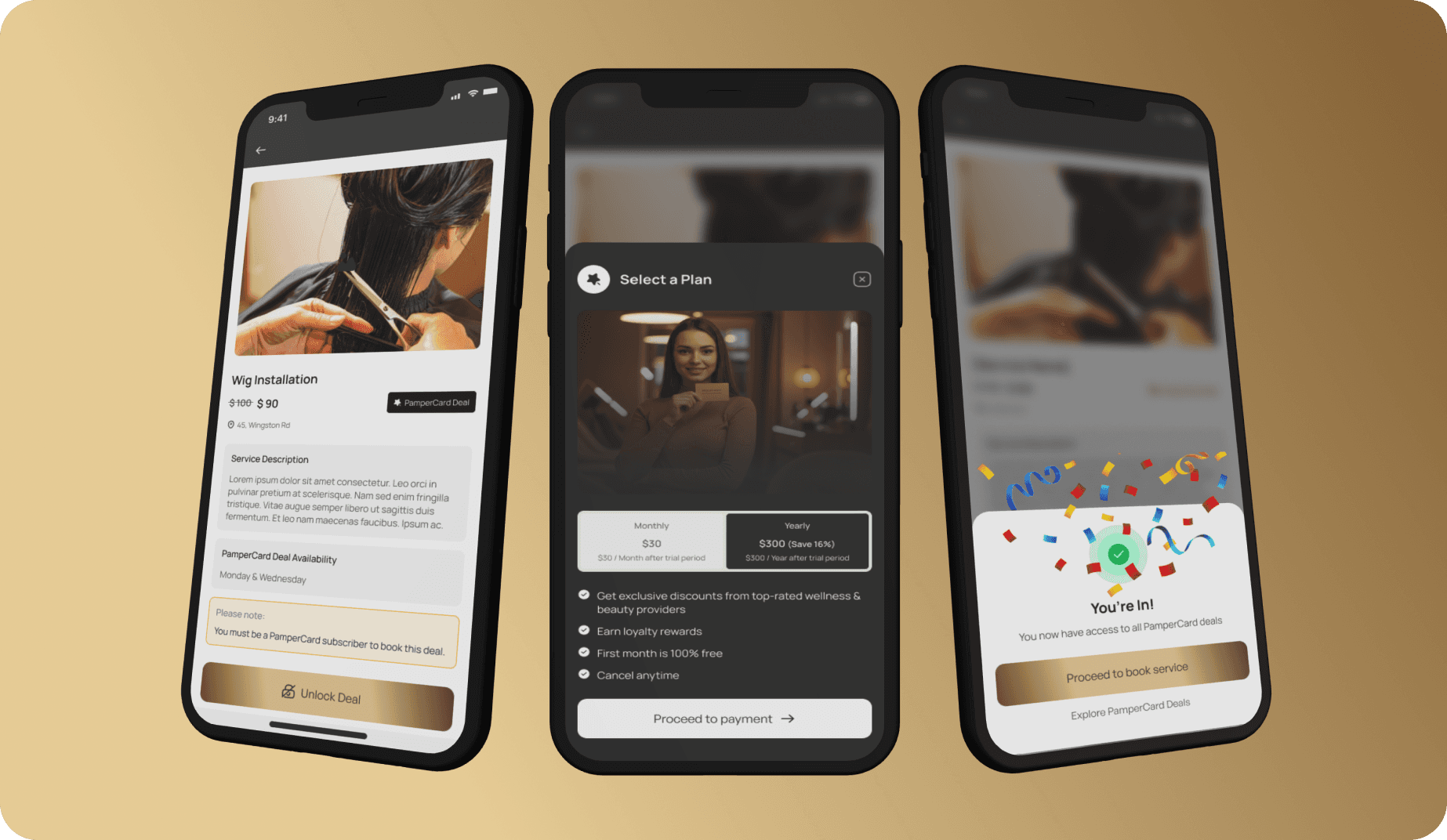
1.3 Premium System: Pampercard & Rewards
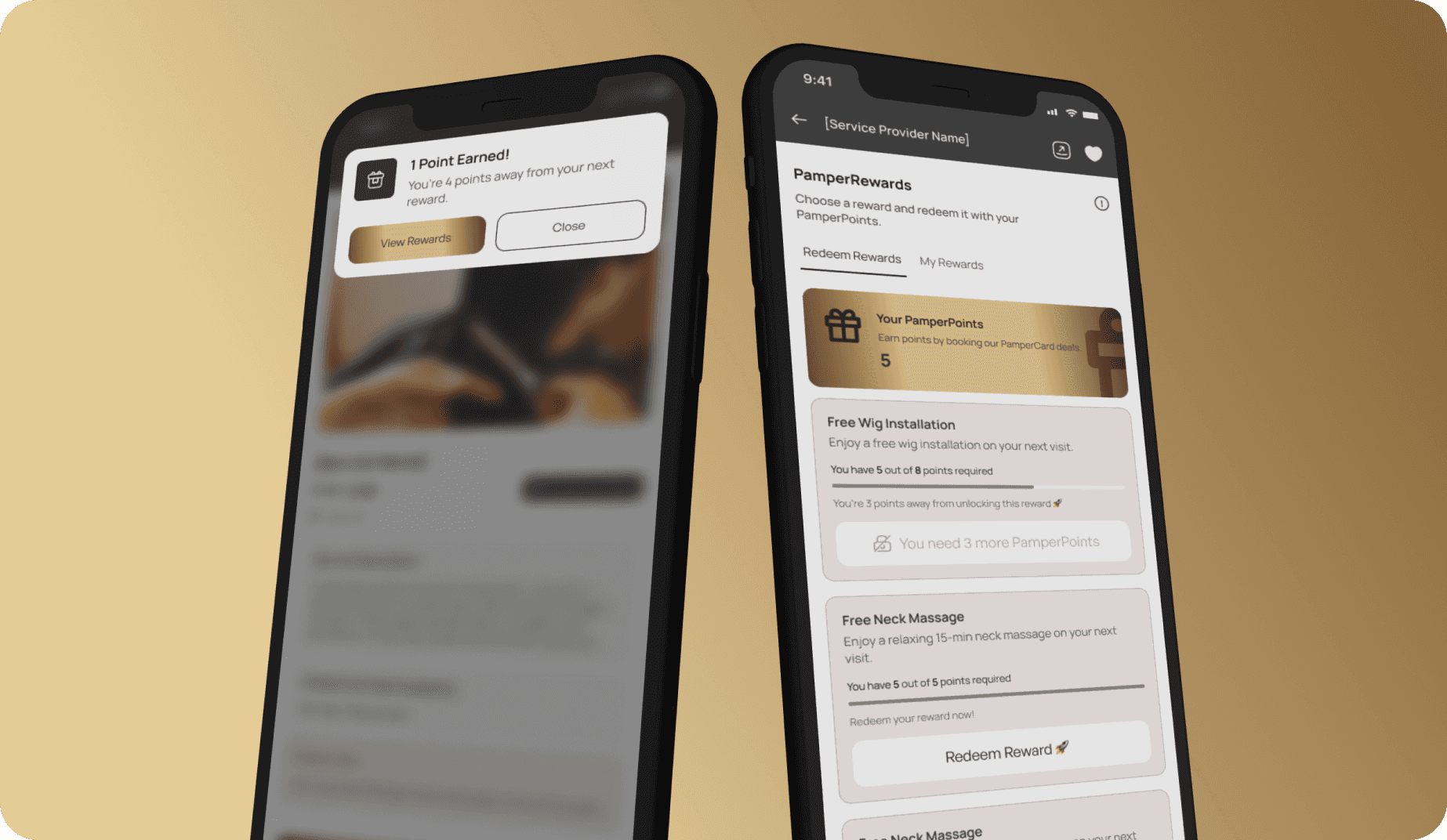
Pamperbook introduces a premium subscription called Pampercard.
With Pampercard, users unlock:
Exclusive service discounts
Loyalty points for every booking
Access to Pamper Rewards, created by service providers
Each booking earns points, and users see:
How many points they’ve earned
How close they are to unlocking their next reward
A clear CTA to view available rewards
This turns repeat usage into visible progress, not vague promises.
1.4 Search & Discovery
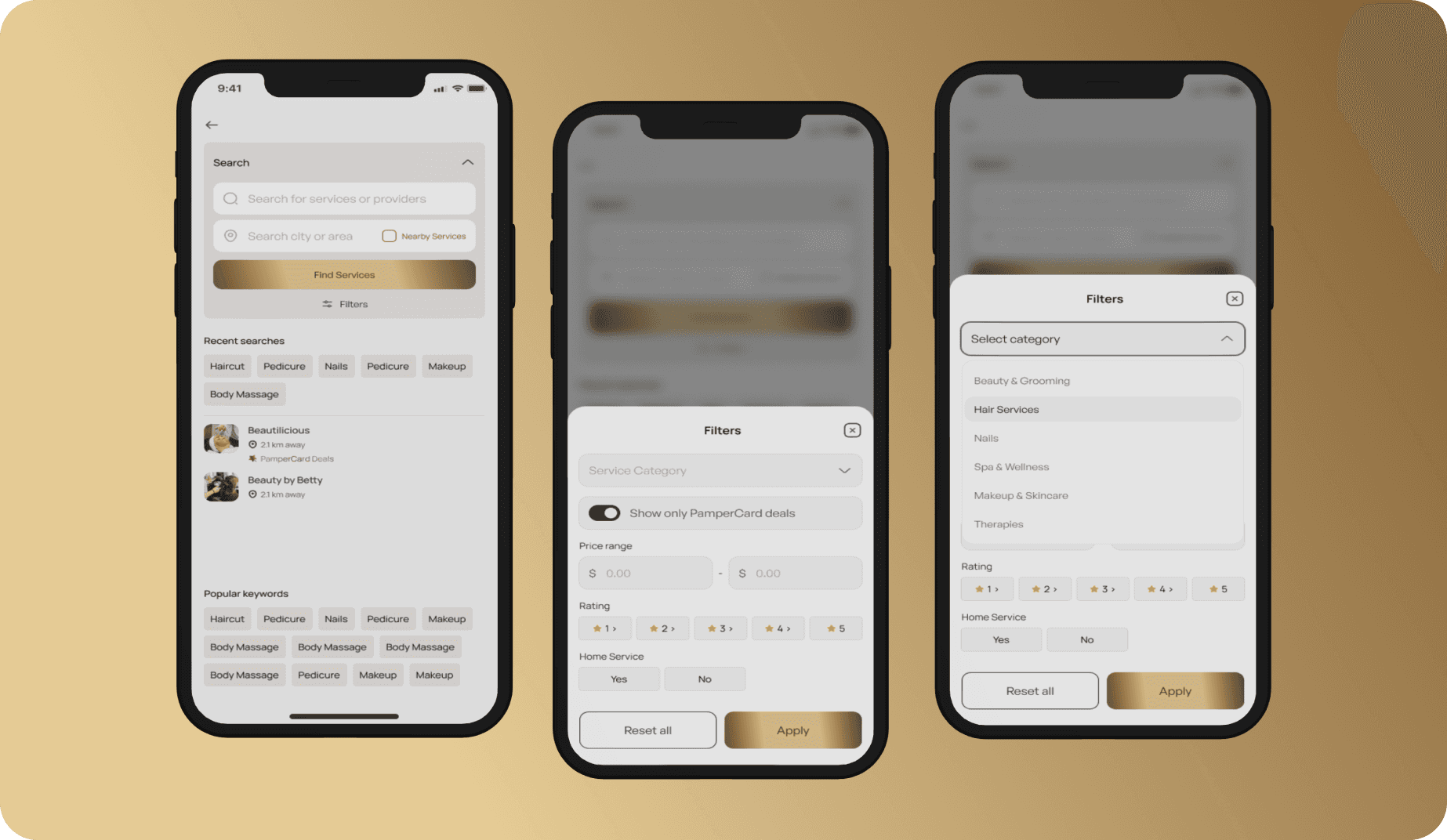
Search is optimized for speed and familiarity.
Features include:
Recent searches
Previously used service providers
Suggested popular keywords
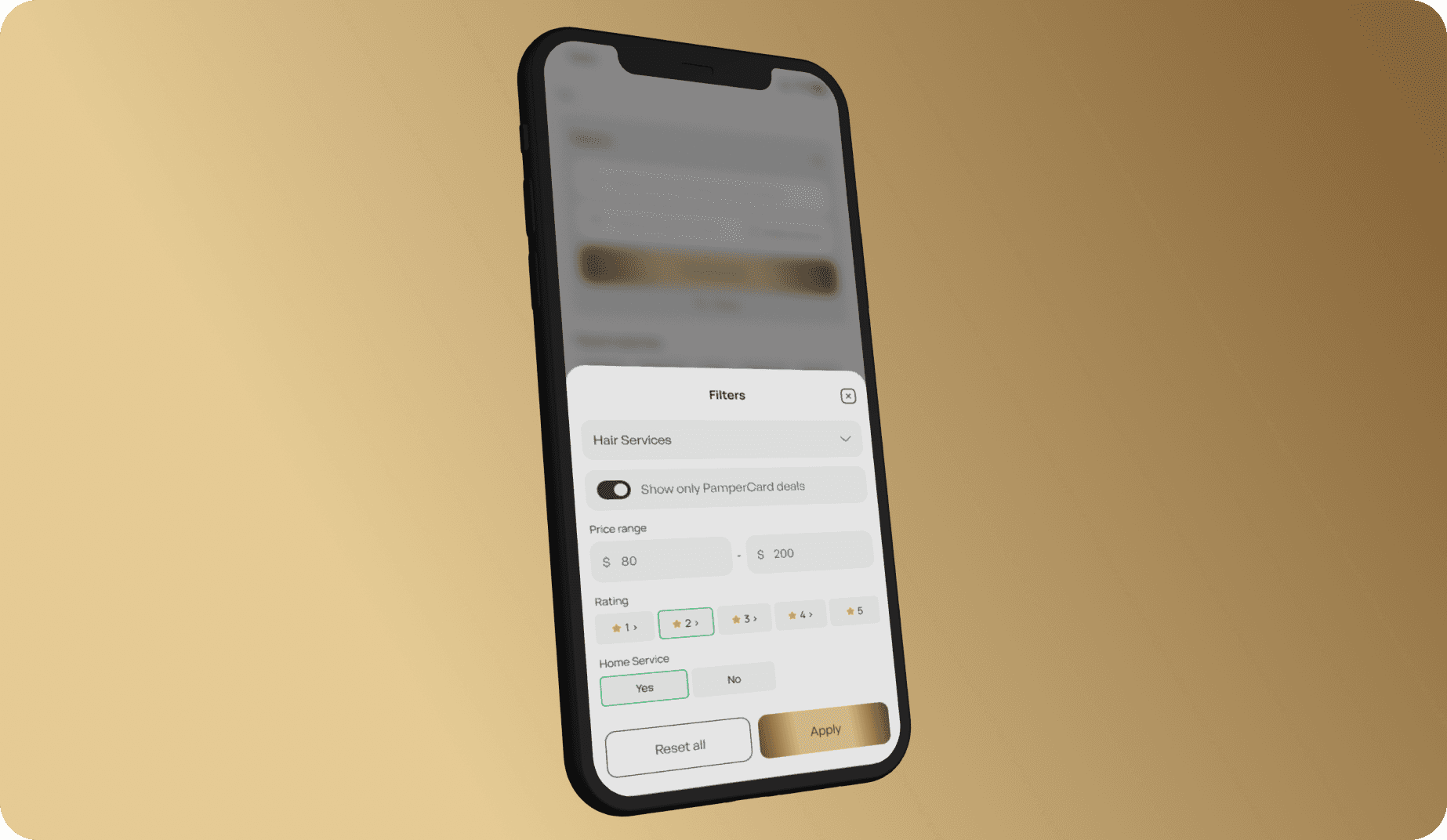
Filters for: Category, location/nearby services, price range, ratings, pampercard deals only
Results dynamically update based on applied filters, helping users narrow down quickly without friction.
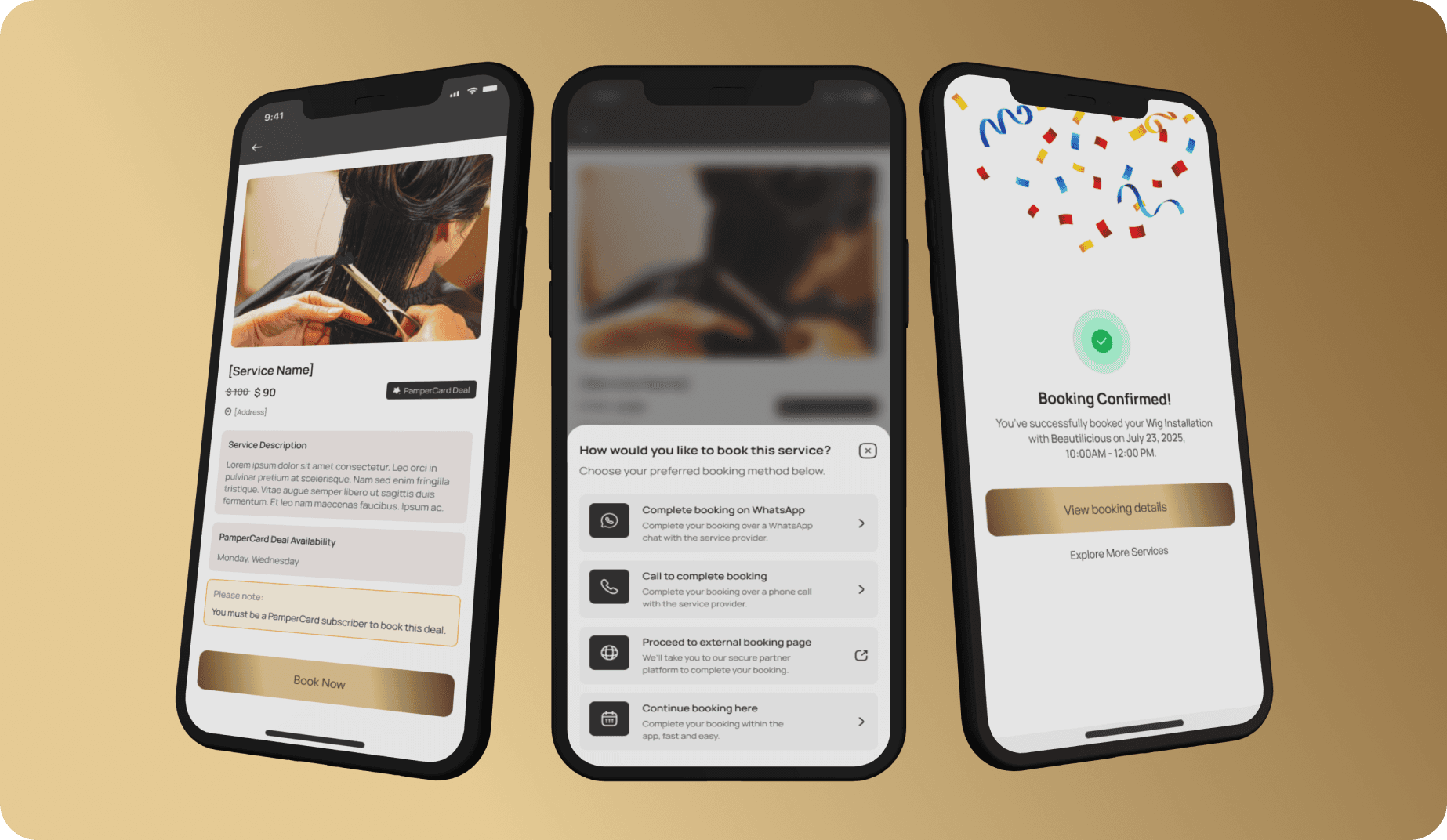
1.5 Booking Flow
Users can book services via:
WhatsApp
Phone call
External booking link
In-app booking
For in-app bookings:
Select available date
Choose time slot
Confirm booking
Receive confirmation and reminders
If the service is a premium deal, users are prompted to subscribe to Pampercard before completing the booking.
2. Business Experience (Service Provider Side)
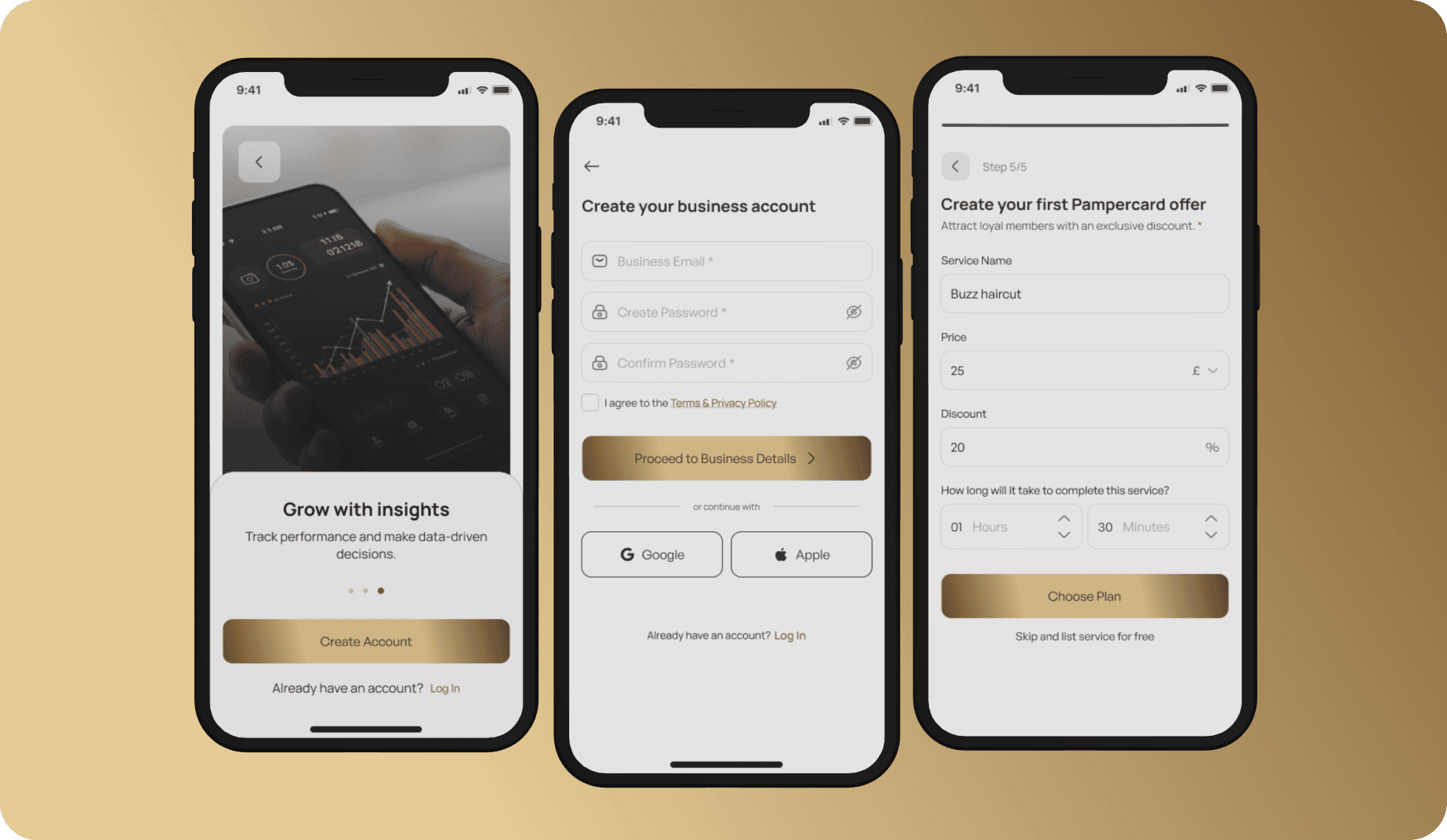
2.1 Onboarding & Business Setup
Business owners:
Select Continue as Business Owner
Create an account
Enter business details (name, category, address)
Choose preferred booking methods
Set business hours
Optionally create their first deal
They can create:
Free deals
Premium Pampercard deals (subscription required)
2.2 Business Dashboard
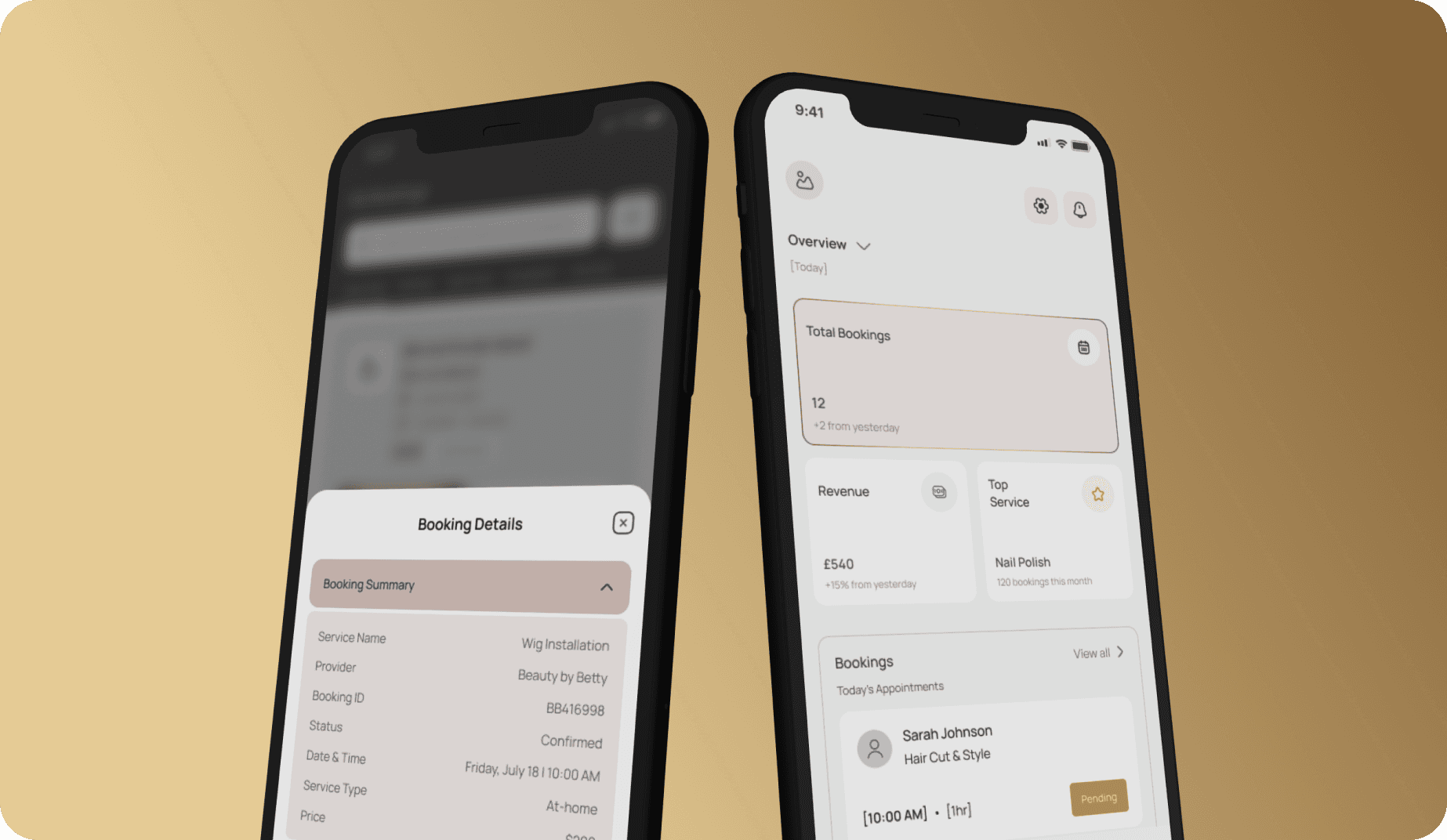
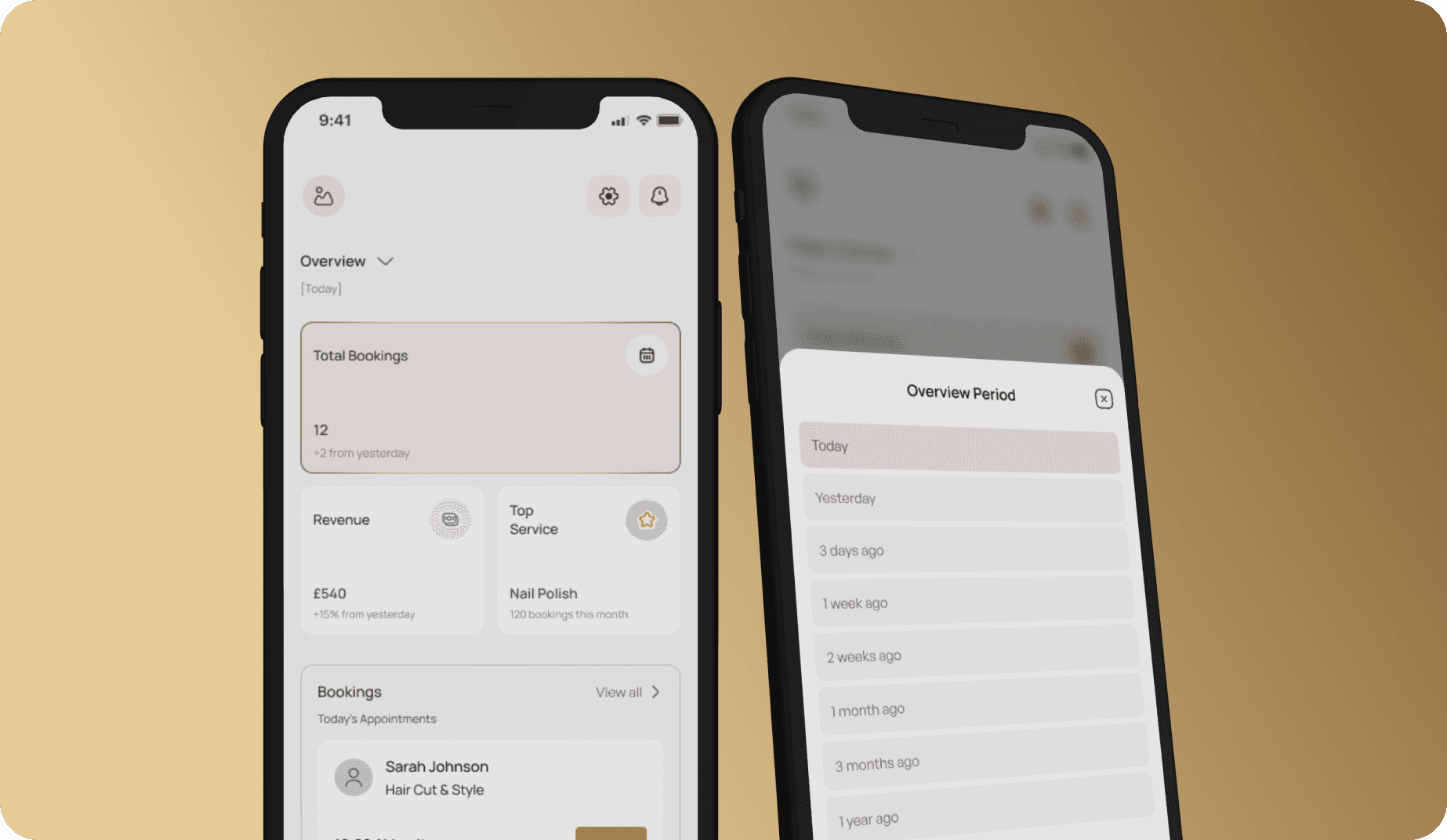
The dashboard gives providers immediate clarity.
They see:
Total bookings
Revenue earned
Top-performing service
Booking activity overview
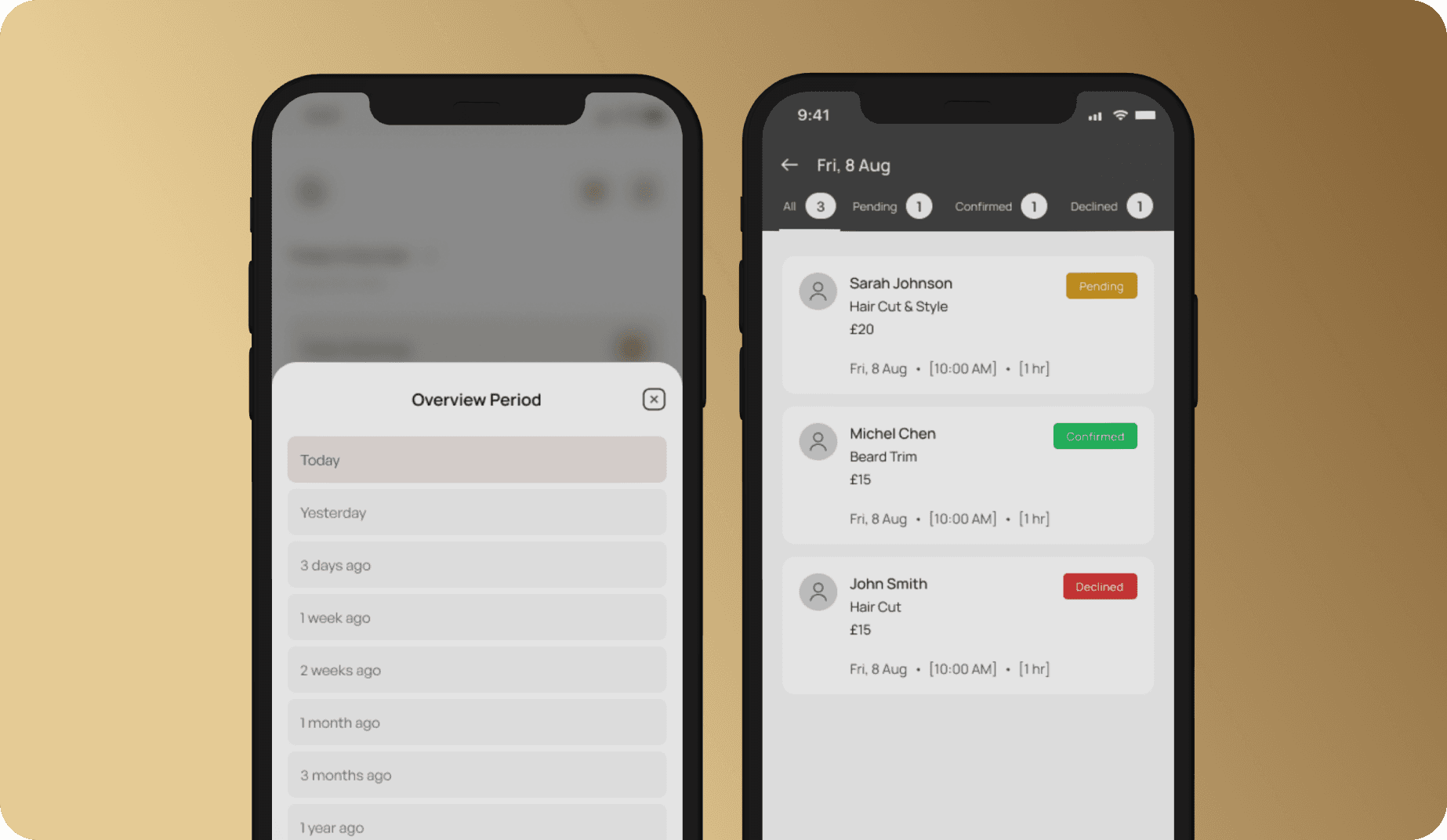
Data can be filtered by time range:
Today
Yesterday
Last 7 days
Last month
Last year
This helps business owners understand performance at a glance.
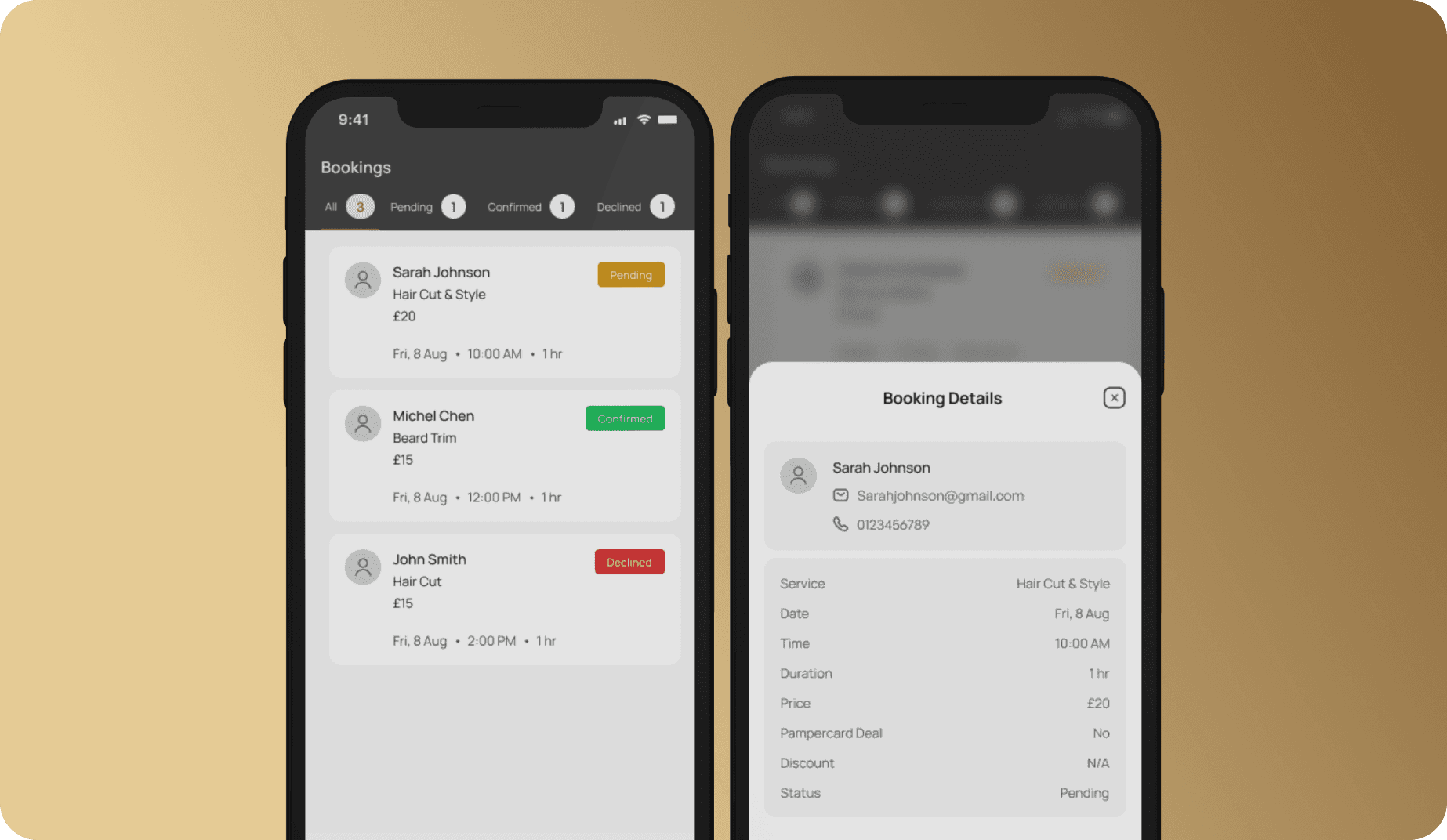
2.3 Booking Management
Providers can:
View all bookings
See service details (date, time, duration, price)
Identify Pampercard bookings and discounts
Accept or decline bookings
View bookings by calendar day
This reduces booking conflicts and manual coordination.
2.4 Service & Deal Management
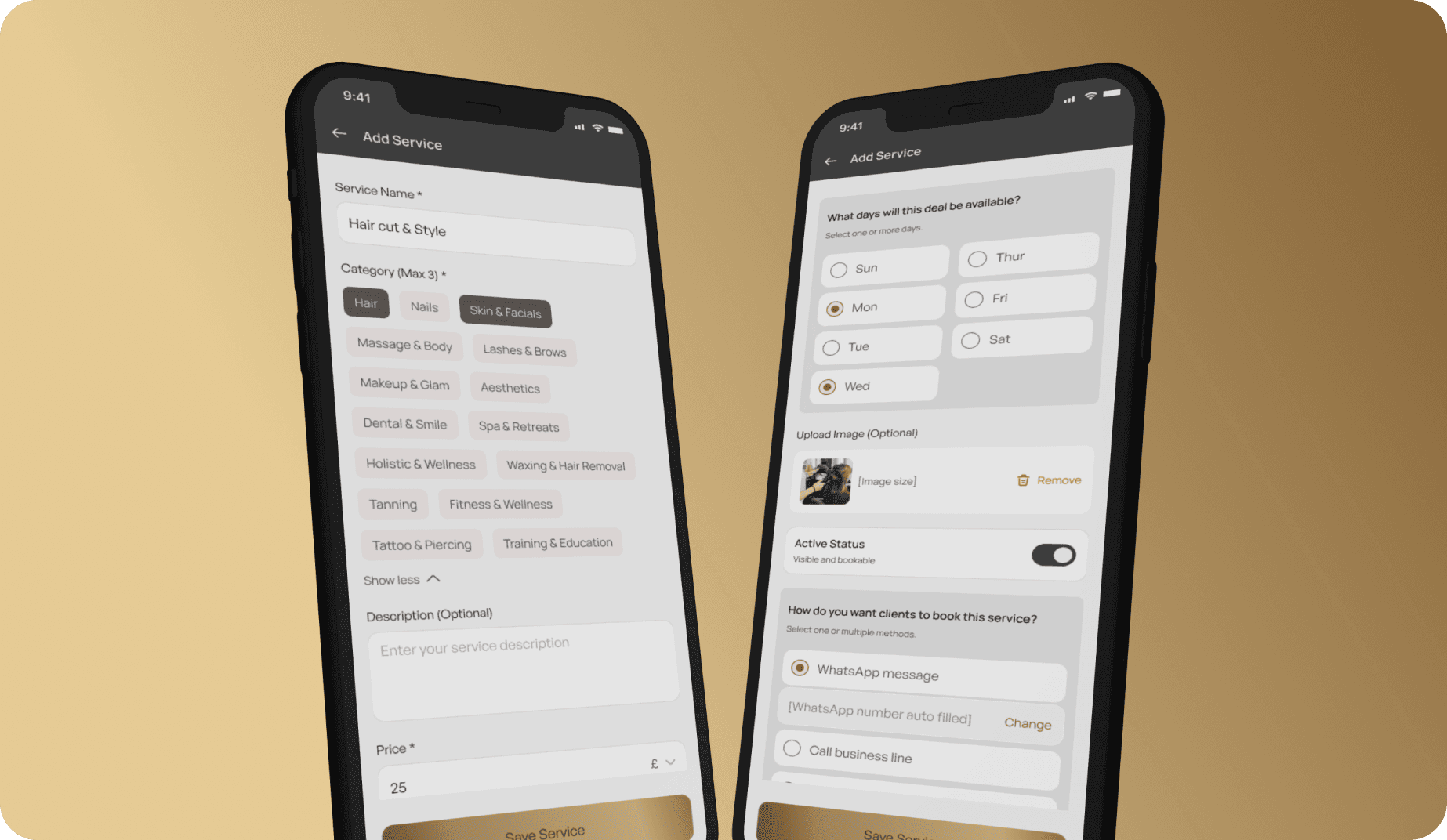
Business owners can:
Create and edit services
Assign staff
Upload service images
Set pricing and duration
Toggle service availability
Choose booking methods per service
Once published, services instantly appear on the consumer app.
2.5 Pamper Rewards System
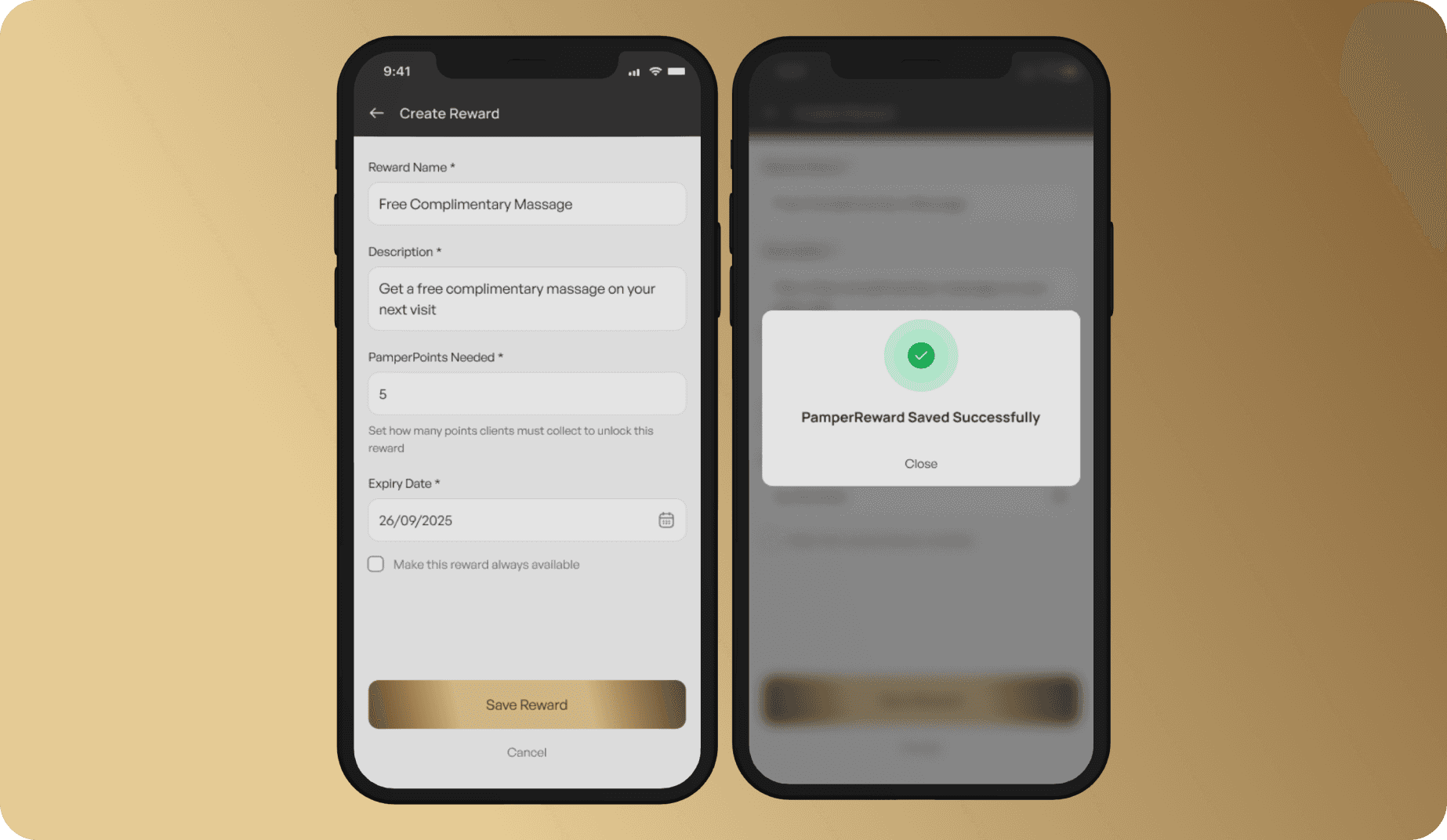
Businesses can create Pamper Rewards to encourage repeat bookings.
To create a reward, they:
Enter reward name and description
Define required Pamper points
Set expiry date
Publish (premium subscription required)
Rewards are automatically tied to premium consumer bookings, closing the loyalty loop between both sides of the platform.
Design Outcome & Impact
Pamperbook evolved into more than a booking app, it became a connected ecosystem where:
Consumers feel rewarded for loyalty
Businesses gain visibility and structure
Premium value is tangible, not abstract
Booking friction is reduced across channels
The system balances discovery, convenience, and retention, while remaining flexible enough for businesses with different operating styles.